M-Pesa Daraja API Integration Guide (For POS Systems in Kenya)
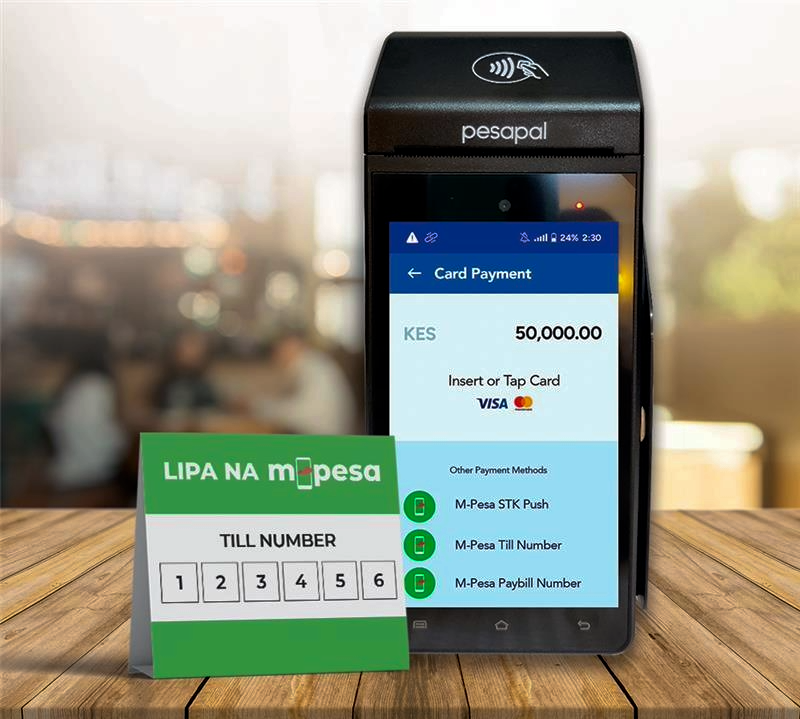
1. What is Daraja API?
The Safaricom Daraja API is a platform that allows developers to integrate M-Pesa payments into applications such as:
- POS systems
- E-commerce websites
- Mobile apps
👉 It enables automatic payment requests, confirmations, and transaction tracking
2. What You Need Before You Start
Before writing any code, ensure you have:
✅ Requirements
- Safaricom developer account → https://developer.safaricom.co.ke
- Registered app (get credentials)
- Business till/paybill number
- Server (Node.js, PHP, Python, etc.)
- HTTPS enabled (very important)
🔑 Credentials You’ll Get
- Consumer Key
- Consumer Secret
- Passkey (for STK Push)
- Shortcode (Till/Paybill)
3. How M-Pesa POS Payment Works
Flow:
- Customer enters phone number
- POS sends STK Push request
- Customer receives prompt on phone
- Customer enters PIN
- Payment confirmed
- POS updates transaction
4. Step-by-Step Integration
STEP 1: Get Access Token
Daraja uses OAuth.
Endpoint:
GET /oauth/v1/generate?grant_type=client_credentials
Example (Node.js):
const axios = require("axios");

const auth = Buffer.from("CONSUMER_KEY:CONSUMER_SECRET").toString("base64");

axios.get("https://sandbox.safaricom.co.ke/oauth/v1/generate?grant_type=client_credentials", {
  headers: {
    Authorization: `Basic ${auth}`
  }
})
.then(res => console.log(res.data.access_token));
👉 This token is used in all API requests
STEP 2: Generate Password (STK Push)
Password = Base64 encode of:
Shortcode + Passkey + Timestamp
Example:
const timestamp = "20260421123000";
const password = Buffer.from(shortcode + passkey + timestamp).toString("base64");
STEP 3: Initiate STK Push (Payment Request)
Endpoint:
POST /mpesa/stkpush/v1/processrequest
Example Request:
axios.post("https://sandbox.safaricom.co.ke/mpesa/stkpush/v1/processrequest", {
  BusinessShortCode: shortcode,
  Password: password,
  Timestamp: timestamp,
  TransactionType: "CustomerPayBillOnline",
  Amount: "100",
  PartyA: "2547XXXXXXXX",
  PartyB: shortcode,
  PhoneNumber: "2547XXXXXXXX",
  CallBackURL: "https://yourdomain.com/callback",
  AccountReference: "POS001",
  TransactionDesc: "Payment"
}, {
  headers: {
    Authorization: `Bearer ${access_token}`
  }
});
👉 This triggers payment prompt on customer phone
STEP 4: Handle Callback (VERY IMPORTANT)
When payment is completed, Safaricom sends a response to your server.
Example Callback JSON:
{
  "Body": {
    "stkCallback": {
      "ResultCode": 0,
      "ResultDesc": "Success",
      "CallbackMetadata": {
        "Item": [
          {"Name": "Amount", "Value": 100},
          {"Name": "MpesaReceiptNumber", "Value": "ABC123XYZ"},
          {"Name": "PhoneNumber", "Value": 2547XXXXXXXX}
        ]
      }
    }
  }
}
What to Do:
- Confirm
ResultCode == 0✅ - Store transaction in database
- Update POS sale as PAID
STEP 5: Display Payment Status in POS
In your POS interface:
- Show “Waiting for payment…”
- Then update to:
- ✅ Paid
- ❌ Failed
5. Important Daraja APIs for POS
- STK Push → Customer payments
- C2B API → Customer pays to business
- B2C API → Business pays customer
- Transaction Status API → Confirm payments
6. Security Best Practices
⚠️ Critical for real systems:
- Never expose credentials on frontend
- Use HTTPS always
- Validate all callbacks
- Store transaction logs
- Use environment variables
7. Sandbox vs Production
- Sandbox → Testing environment
- Production → Live payments
👉 Always test fully before going live
8. Common Challenges
- Callback not received (wrong URL)
- Invalid credentials
- Timestamp mismatch
- Poor network delays
9. How This Fits Into a POS System
Your POS should:
- Capture sale
- Trigger M-Pesa request
- Wait for confirmation
- Issue receipt
- Update inventory
👉 This creates a fully automated digital biashara system
10. Opportunity for You
You can:
- Build POS software for SMEs
- Sell custom M-Pesa-integrated systems
- Offer monthly subscription POS
- Target sectors like:
- Garages
- Shops
- Agrovets
🔑 Key Takeaway
Integrating M-Pesa via Daraja API turns a simple POS into a powerful automated payment system.